
BT 5.0 V2.0 Audio modtager modul - 3,5mm stereo JACK
Varenr:
H14797
EAN:
5410329225568
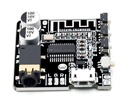
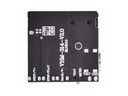
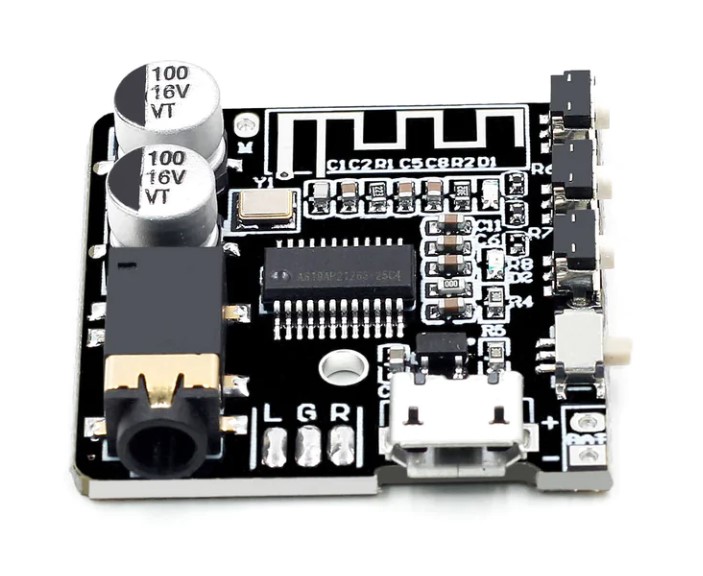
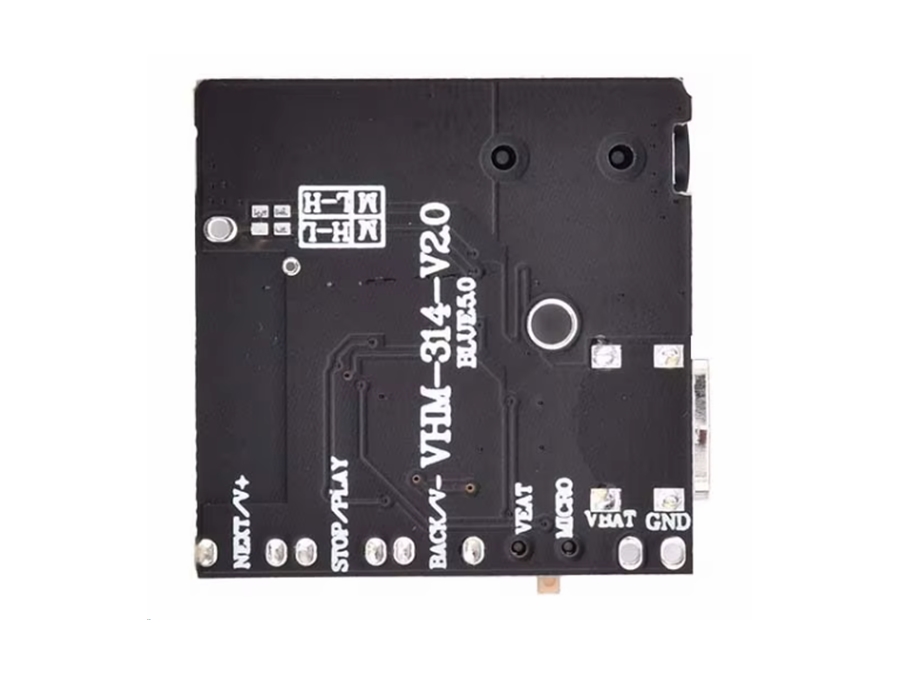
MP3 Bluetooth audio modtager (dekoder) med 3,5mm stereo JACK-output. 5V mikro USB strømforsyningsindgang og 3,7V output til LiION / LiPOL batteriopladning. Den nye V2 kommer med dial-switch og multimedia knapper til volume, skift nummer og play/pause. Perfekt til dig som ønsker at bygge din egen bluetooth højttaler eller en bluetooth audiomodtager til dit HiFi-anlæg.
Tekniske detaljer:
- Bluetooth standard: 5.0 V2.0
- Strømforsyning: 5V Micro USB-port
- Driftsspænding: 3,7...5Vdc
- Signal / støjforhold: 90db
- THD+N: -70db
- Crosstalk: -86db
- DNR: 91 db
- Supportkonfiguration: A2DP / AVCTP / AVDTP / AVRCP / HFP
- Decoding formater: WAV+APE+FLAC+MP3 lossless decoding, stereo output
- Trådløs rækkevidde:> 5m
- Størrelse: 36 x 38mm
 Bemærk: Dette er et "maker" modul for udviklere. Den leveres uden yderligere instruktioner end dem som du finder her.
Brugerinstruktioner:
-
1. Vælg den passende højttaler, og tilslut den i henhold til ledningsdiagrammet.
2. Tilslut strømforsyningen til input-terminalerne, den blå LED blinker hurtigt, og gå ind i Bluetooth-parringstilstand.
3. Søg efter ''XY-ABT'' på mobiltelefonen, klik på ''XY-ABT'' for at fuldføre forbindelsen, og der afspilles en promptlyd.
4. Bluetooth-LED'en går i en lang-lys tilstand, hvilket indikerer, at modulet er tilsluttet korrekt og venter på afspilning.
5. Åbn mobiltelefonafspillerens software for at afspille musik, den blå LED blinker langsomt og går i afspilningstilstand. Bemærk: Dette er en musikdekoder, du skal først tilslutte effektforstærkeren og derefter tilslutte højttalerne.
6. Hvis du har brug for APP-kontrol, skal du åbne Sinilink APP'en på din mobiltelefon og registrere en konto.
7. Vælg enhedens 'Sinilink-APP' forbindelsesmodul.
8. Du kan justere lydstyrken via mobiltelefonen, vælge den næste eller forrige sang, afspille/pause.
9. Hvis forbindelsen afbrydes, udsender modulet en tone.
Ekstra tips:
- Hvordan bør jeg stille DIP-switchen? Svaret afhænger af din foretrukne strømforsyning
- Op: Strøm via batteriport. Micro USB-porten får indirekte strøm, når der ikke er noget batteri.
- Ned: Strøm direkte via mikro-USB. Når der ikke er en mikro-USB-strømforsyning, er enheden slukket.
MP3 Bluetooth decoder board with 3,5mm stereo JACK output. 5V micro USB power supply input and 3,7V output for LiION/LiPOL battery charging. The new V2 comes with dial-switch and multimedia buttons for volume, change number and play / pause.
Features:
- BT5.0 Audio Mini Bluetooth MP3 Decoder Board
- Audio Receiver MP3 Lossless Player
- Wireless Stereo Music Amplifier Module
- Supports lithium battery charging
- Supports Incoming call
Specifications:
- Bluetooth standard: 5.0 V2.0
- Power supply: 5V Micro USB port
- Operating voltage: 3,7...5Vdc
- Signal/noise ratio: 90db
- THD+N: -70db
- Crosstalk: -86db
- DNR: 91db
- Support configuration: A2DP/AVCTP/AVDTP/AVRCP/HFP
- Decoding formats: WAV+APE+FLAC+MP3 lossless decoding, stereo output
- Wireless range: Up to 10 meters
- Dimensions: 36 x 38mm
 Note: This is a "maker" module for developers. It is delivered without any further instructions than what you find here.
Steps for usage:
-
1. Select the appropriate speaker and connect it according to the wiring diagram.
2. Connect the power supply from the input terminal, the blue LED flashes quickly, and enter the Bluetooth pairing mode.
3. Search for ''XY-ABT'' on the mobile phone, click ''XY-ABT'' to complete the connection and a prompt sound will play.
4. The Bluetooth LED enters a long-bright state, indicating that the module is successfully connected and waiting for playback.
5. Open the mobile phone player software to play music, the blue LED flashes slowly and enters the playing state. Note: This is a music decoder, you need to connect the power amplifier first, and then connect the speakers.
6. If you need APP control, open the Sinilink APP on your mobile phone and register an account.
7. Select the device 'Sinilink-APP' connection module.
8. The user can adjust the volume through the mobile phone, select the next or previous song, play/pause.
9. If the connection is disconnected, the module will emit a tone.
Extra tips:
- How should I set the dip-switch? This depends on you preferred power suply solution
- Up dial: Power via battery port. The Micro USB port is indirectly powered when there is no battery.
- Down dial: Power direct via micro USB. When there is no micro USB power supply the device is turned off.
